A Repairable Laptop That Doesn't Feel Like a Compromise
I have spent the last three weeks living out of a backpack across two continents, and the thing I keep thinking about is what airports do to a laptop. The pressure changes. The desert heat at the gate in Dubai. The cabin condensation when you pull a machine out at 35,000 feet. The barista who slid my Framework 13 across the counter at a cafe in Lisbon last week and apologized for the half-centimeter scratch she put in the lid.
The original Framework Laptop 13 took those hits gracefully because the modular design meant I could replace the lid for $39 instead of buying a new chassis. What it did not do — at any point in its lifetime — was feel like a $1,500 laptop. The plastic-over-metal hybrid construction was perfectly functional, but next to the unibody MacBook Pro that half the digital nomads at any cafe in Europe are typing on, it always looked like a developer build.
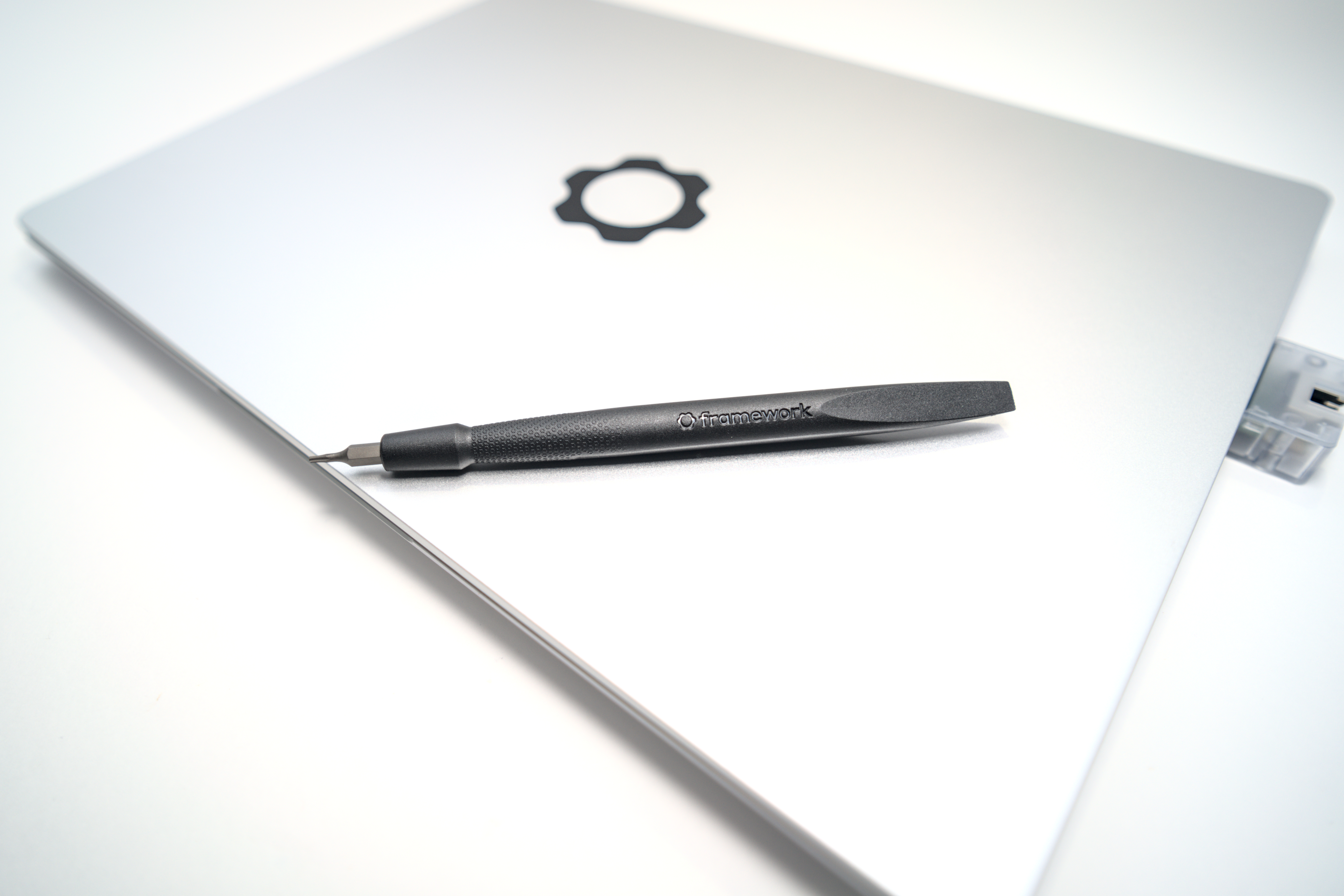
That changes today. Framework just announced the **Laptop 13 Pro**, and for the first time, the company is shipping a chassis machined from solid blocks of 6063 aluminum, finished in graphite anodization. Pre-orders opened April 21. First units ship in June. Pricing starts at $1,199 for the DIY edition and $1,499 for a pre-built configuration with Ubuntu or Windows 11.
The internal design brief, according to Framework, was to build "the MacBook Pro for Linux users." After three years of road-testing the older 13, that is exactly the bar this thing needed to clear.
What Actually Matters When You Live in Departure Lounges
I care about four things on a road laptop: battery life, display brightness, weight, and port selection. The Pro does measurable things on all four.
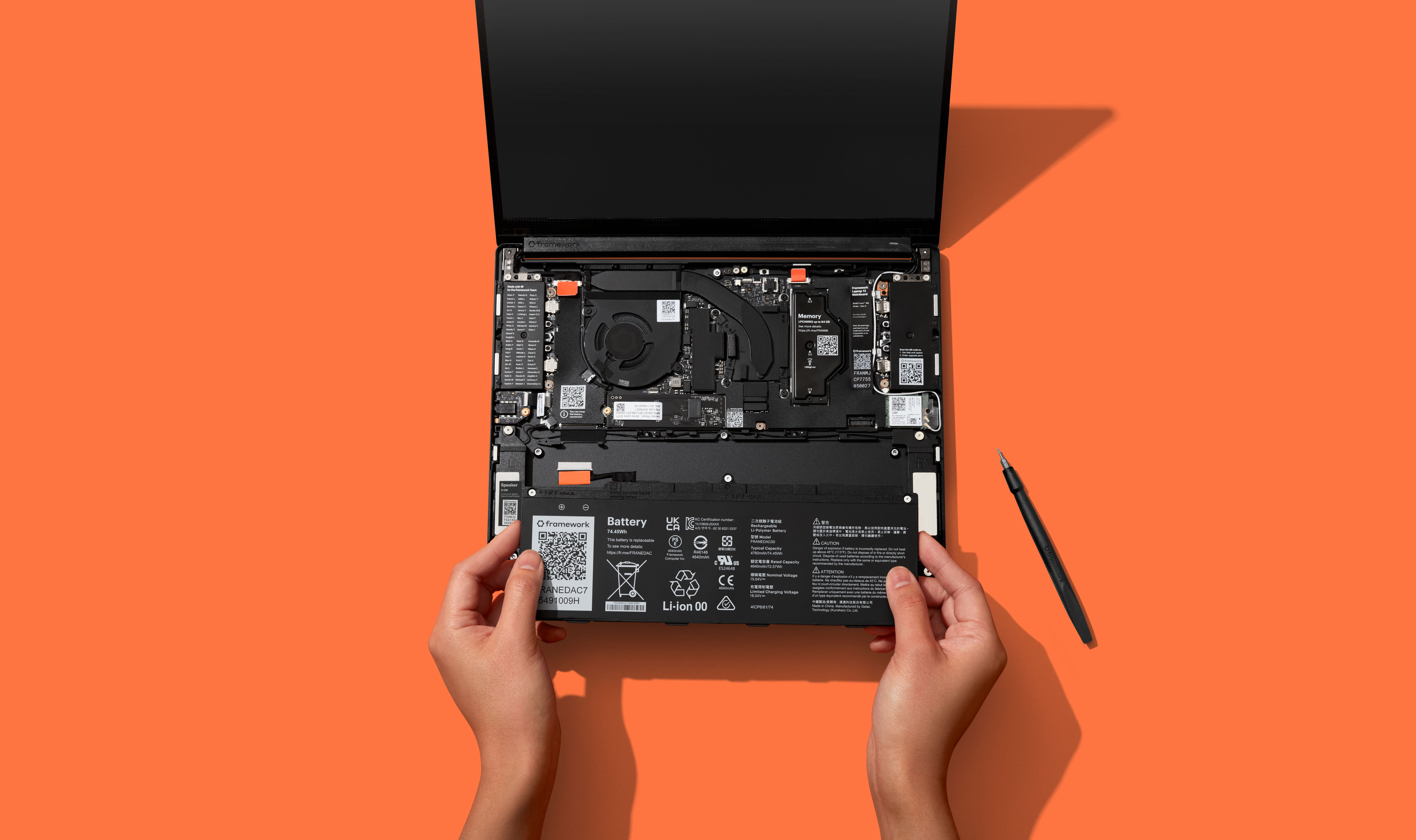
**Battery is now 74Wh**, a 22 percent jump from the previous generation's 61Wh. Framework is quoting up to 20 hours of runtime in a Netflix 4K loop on the Ultra X7 with the 2.8K display set to 250 nits. That number is going to come down hard in real-world work — I expect 9 to 11 hours of mixed coding and browser tabs based on the previous gen's behavior — but the headline is that the battery cell density is now 850 Wh/L and Framework is rating it for 80 percent capacity retention after 1,000 charge cycles. That last number matters more to me than the runtime claim. After two years of daily use, the original Framework battery was visibly fatigued. If the Pro actually holds 80 percent of its capacity that long, I do not need to budget a replacement until year four.
**The display goes to 700 nits.** The old panel topped out at 500. That 200-nit difference is the difference between "I can see my code on the patio at noon in Madrid" and "I am moving inside to find a power outlet." The panel itself is 13.5-inch LTPS LCD at 2880x1920, 3:2 aspect ratio, with a matte anti-glare polarizer and per-unit color calibration at the factory. Variable refresh runs from 30Hz to 120Hz. There is a touchscreen now, which I do not particularly want, but the matte coating means the touch layer does not turn the lid into a fingerprint magnet.
**Weight is 1.4kg (3.11 lbs)** at 15.85mm thick. That is the same footprint as the previous Framework 13, which means existing sleeves, cases, and the docking accessories I have accumulated still fit. Important detail: the new mainboard is backwards-compatible with older Framework 13 chassis. If you bought a Framework in 2022 and want the Core Ultra Series 3 silicon and the new battery, you can swap them in without buying a new shell. Nobody else in the laptop industry does this.
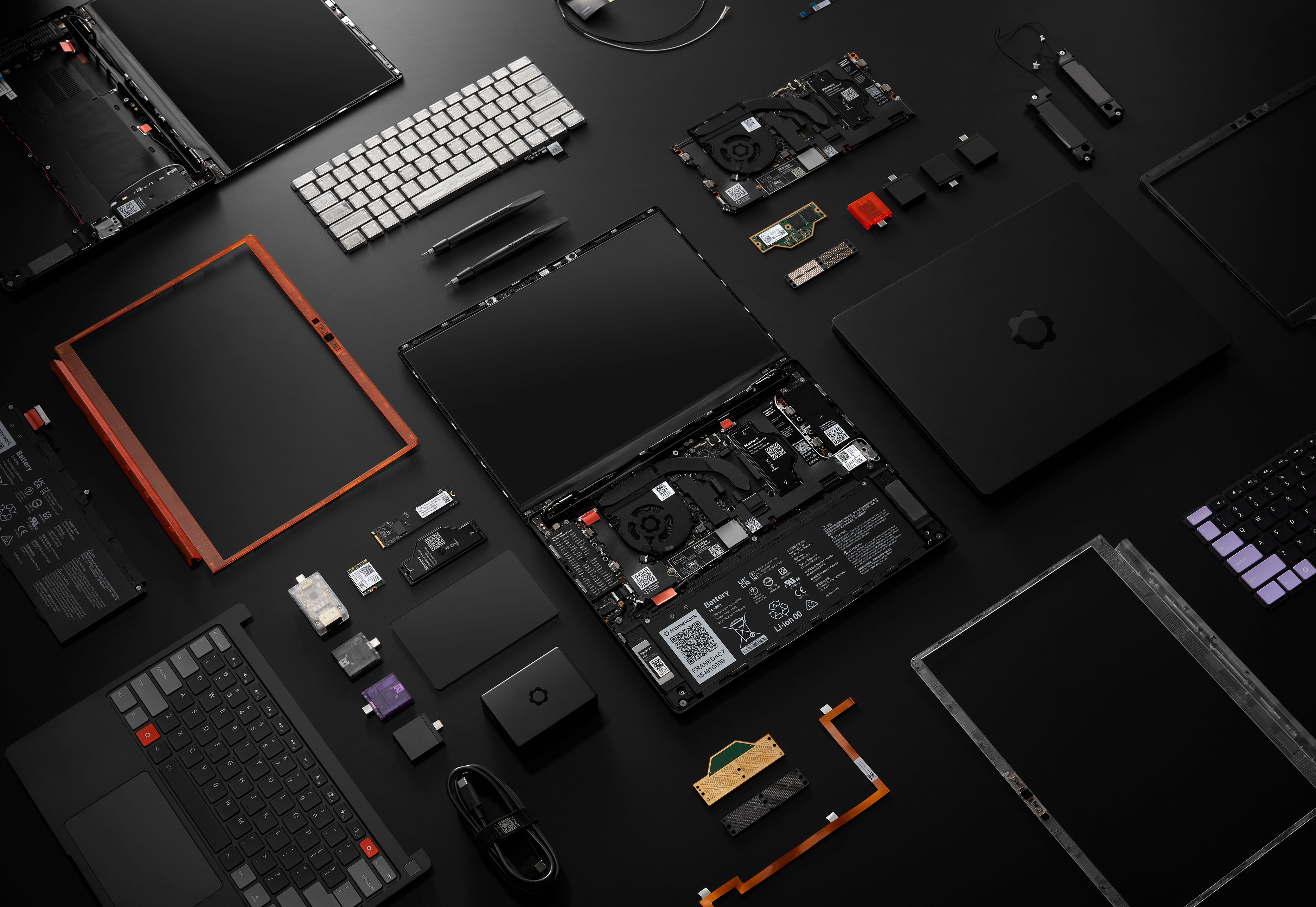
**Ports: four Thunderbolt 4 interfaces** through the Expansion Card system, plus Wi-Fi 7 via the Intel BE211 radio. The Expansion Card system is still the killer feature. I run two USB-C, one HDMI, one full-size USB-A on mine; in airports, I swap the USB-A for an SD card reader for camera offload. No dongle bag. No adapters. The card you do not need today comes out of the bay and goes in your pocket.
The Silicon and Memory Story
Framework is offering Intel's Core Ultra Series 3 across three tiers — Ultra 5, Ultra X7, and Ultra X9 — plus a Ryzen AI 300 option for the AMD crowd. The X7 358H configuration ships with Intel Arc B390 integrated graphics, which is the chip Framework used to hit the 20-hour battery claim. I have not tested the silicon yet, but Panther Lake's perf-per-watt numbers from CES suggest the X7 should land somewhere around the M4 Pro for sustained laptop workloads, with significantly better idle behavior than the previous gen Meteor Lake parts.
The more interesting move is **LPCAMM2 memory**. Framework switched the Pro from the older SO-DIMM modules to LPCAMM2, which gives you LPDDR5X at 7467 MT/s in capacities of 16, 32, or 64GB. LPCAMM2 modules are smaller, faster, and use roughly 60 percent less power than equivalent SO-DIMMs, but — critically — they are still user-replaceable. Lenovo and Dell use LPCAMM2 in a few high-end ThinkPad and XPS configurations now, but most ultraportables in this price bracket solder the RAM to the board. Framework remains the only company shipping a sub-15mm chassis with field-upgradeable memory.
Storage tops out at 8TB on PCIe Gen 5 NVMe through an M.2 2280 slot, with Framework quoting over 14,000 MB/s read and write. That is significantly more storage than I have ever had on a laptop, and the slot is a standard 2280 — bring your own drive if you want.
The Touchpad Is New, and It Matters
The touchpad on the original Framework 13 was the single weakest part of the machine. It used a traditional mechanical click switch that wore out unevenly, developed a corner-click dead zone after about 18 months, and never quite matched the precision of Apple's Force Touch trackpad.
The Pro replaces the entire assembly with a **haptic touchpad driven by four piezo elements**. There is no click switch, which means there is nothing mechanical to wear out. The keyboard above it gets 1.5mm of key travel — generous for a laptop this thin — with two colorway options. Not a dramatic change, but the previous gen keyboard was already one of the better laptop typing experiences in this segment, and Framework did not break it.
The Numbers Behind the Demand
Framework opened pre-orders April 21 and within a week had sold through Batch 8, with shipments now extending into August. The split between operating systems is the part I did not expect: **Ubuntu pre-built configurations are outselling Windows configurations**. Framework offers an Ubuntu-certified pre-built with full hardware support out of the box, and that is apparently what most early buyers are choosing.
This is the MacBook Pro audience drift Framework has been quietly chasing for three years finally showing up in the order book. People who want unibody aluminum, a high-quality 3:2 display, and 20-hour battery life — but who also want to run Ubuntu, replace their own SSD, and not be locked out of their machine in five years when the battery dies. There has not been a real option in that segment until now.
What I'd Want to Test
I have not had hands on a Pro yet — Framework is sending review units in late May, with embargoes lifting before first shipments in June. The things I want to verify the moment I get one: real battery life on actual development workloads (not Netflix loops), thermal behavior under sustained Cinebench R24, peak display brightness measured with a colorimeter, and whether the haptic touchpad actually matches Apple's Force Touch precision or just gets close.
If those four numbers land where Framework is implying, this is the first non-Apple ultraportable I would consider as a primary travel machine in three years. The aluminum chassis was the missing piece. The battery and display upgrades were the things I asked for. The fact that I can still drop a new mainboard into it in 2029 is the reason I'm probably going to buy one.
If the battery dies before my flight lands, it ruins my day. The Framework 13 Pro might finally be the laptop that doesn't.
Loading comments...