Tomorrow, Not Today
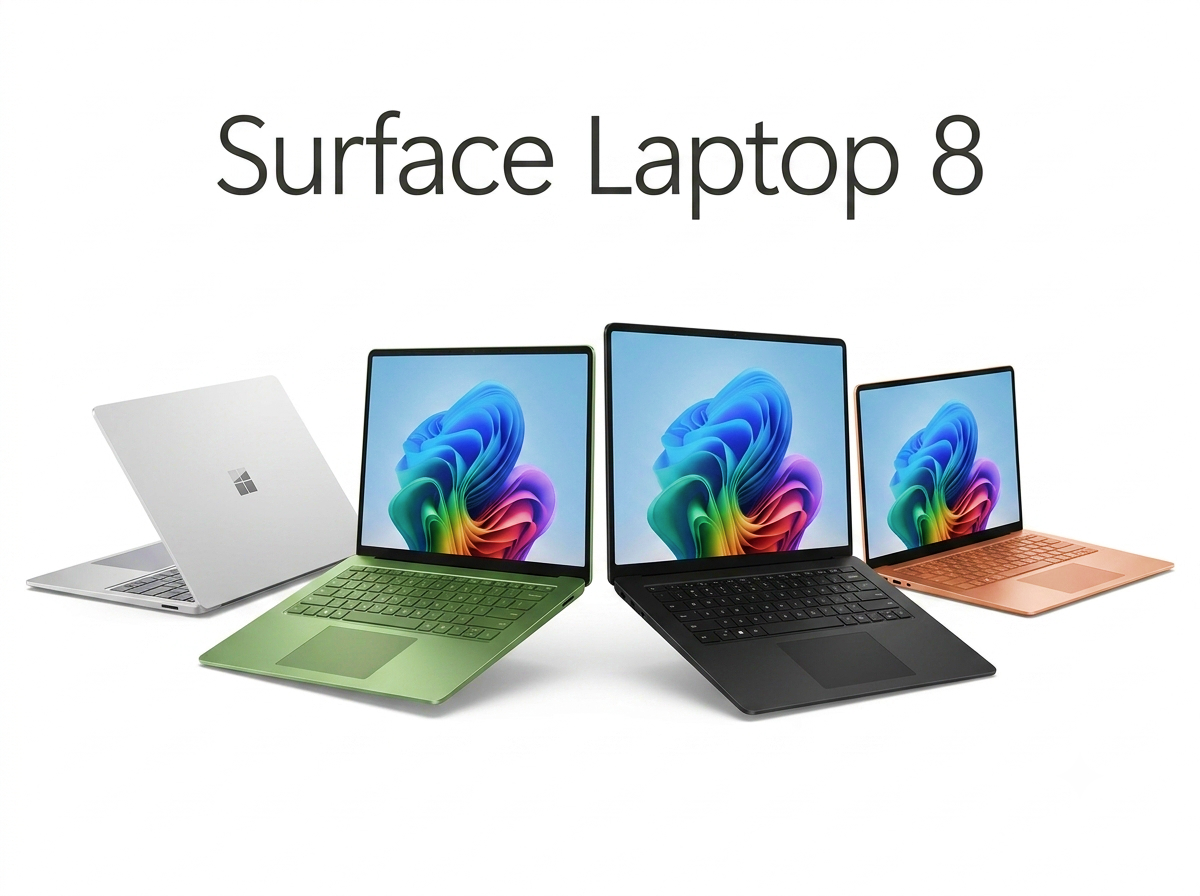
If you're an IT lead who's been holding out for the enterprise SKUs of Microsoft's Snapdragon X2 refresh, tomorrow — July 14, 2026 — is the day. The Surface Laptop 13.8-inch for Business and the Surface Pro 13 for Business finally clear Microsoft's commercial channels, roughly four weeks after the consumer models went on sale on June 16.
I've been living out of a 40-liter carry-on for the last six weeks — Helsinki, Singapore, Austin, back to Helsinki — and every laptop I've been handed in that time has been either an Intel Panther Lake unit or a first-gen Snapdragon X Elite. So the question I keep getting from procurement people is the same one: is the extra money for the business edition actually worth it, or is Microsoft just skinning a privacy screen onto the consumer chassis and charging $150 for it?
The short answer: for anyone who works from airports, hotel lobbies, or long-haul planes, the privacy filter alone justifies a chunk of the premium. The longer answer is where it gets interesting.
What the $1,649.99 Sticker Actually Buys
Both business SKUs land at a flat $1,649.99. That's a $150.99 markup over the $1,499 consumer Surface Pro 13, and about $51 over the $1,599 consumer Surface Laptop 13.8-inch. For that delta you get an integrated hardware privacy screen, Windows 11 Pro, and access to Microsoft's extended support and commercial procurement pipeline.
The privacy screen is the one I care about. If you've ever tried to answer a customer email over hotel lobby Wi-Fi with someone from the flight sitting two seats down, you know exactly why. Aftermarket filters exist, but they're bulky, catch on your backpack sleeve, and get scratched to hell within a month. An integrated one is genuinely useful for anyone who does client work in public.
Windows 11 Pro and volume licensing matter more to IT than to the user, but they're not nothing — if your fleet needs BitLocker with Azure AD join and Autopilot at scale, the consumer SKUs will bounce off your onboarding pipeline.
The Battery Life Story Is Not the Marketing Story
Microsoft is quoting up to 20 hours of local video playback on the 13.8-inch Surface Laptop and 15.5 hours on the Surface Pro 13. Those are the on-screen figures. The reality, based on the reviews that have surfaced for the consumer models over the past month, is more nuanced.
PCWorld's Mark Hachman ran an Asus Zenbook A16 with the top-tier Snapdragon X2 Elite Extreme through a real Netflix streaming test — actual anime, wireless radio active, screen at a usable brightness — and got 13 hours 4 minutes. His conclusion was blunt: Qualcomm shifted the second-gen design toward performance over efficiency, and the first-gen X Elite is still the play if raw runtime is what you're optimizing for.
On the Windows-on-Arm side, that's a real regression story. The MSI Prestige 14 Flip AI+ with Intel Panther Lake is quoting 30 hours of runtime, HP's OmniBook 5 is at 26 hours 30 minutes, and even the HP EliteBook 6 G2q — also Snapdragon X2 Elite — hits 28 hours on paper. The Surface number sits in the middle of the pack, not at the top.
The Chip You're Buying Is Not the Chip in the Reviews
This is the part nobody's putting in the marketing decks: the Surface Laptop and Surface Pro 13 both ship with the Snapdragon X2 Elite in its X2E-78-100 configuration — a 12-core, 4.0 GHz variant. The 18-core X2 Elite Extreme (X2E94100) that dominates the Geekbench and Cinebench headlines? That's in third-party laptops like the Zenbook A16, not in the Surface you're about to buy.
Independent testing on the shipping Surface configuration also trims Microsoft's 53% GPU uplift claim down to roughly 40% in real workloads. That's still meaningful — the previous-gen Surface Laptop 7 was noticeably GPU-bound for anything beyond office work — but if you were pricing your fleet decision on the 3DMark Steel Nomad numbers, adjust downward.
Verdict From a Suitcase
For a fleet buyer whose users live on airplanes: yes, the July 14 business edition is worth the premium, mostly because of the privacy screen and the Windows 11 Pro imaging story. For a solo road warrior spending their own money, the calculation is tighter — you can get 25+ hours of manufacturer-claimed battery life for less money in a Panther Lake ultrabook, without the Arm-app-compatibility caveats that still occasionally bite.
My suitcase rule hasn't changed: if the battery dies before my flight lands, it's a deal-breaker. Twenty hours of video playback on the Surface Laptop 13.8 should be enough for even a Helsinki-to-Singapore direct, but I'd want to see an independent 8-hour real-work test — Teams call, browser tabs, VPN, screen at 300 nits — before I'd bet a fleet on it.
Loading comments...